
Given the Central Bank of Russia’s interest in cryptocurrency-linked instruments, the topic of self-custody of digital assets is becoming even more relevant. In this article, we’ll explain what a crypto wallet is, how it differs from an exchange, how to set one up and use it if you’re in Russia, and what you need to know to avoid losing access to your funds in 2026.
What is a crypto wallet and how does it work
A crypto wallet is a software or hardware tool for storing private keys that grant access to cryptocurrency on the blockchain. A wallet does not physically store coins; it stores the keys that confirm ownership of the assets.
Main types of crypto wallets:
- Hot wallets — connected to the internet: mobile apps, browser extensions, desktop programs. Free and convenient for daily transactions.
- Cold (hardware) wallets — store keys offline. Physical devices (Ledger, Trezor, Tangem). Maximum security for large amounts.
- Custodial — keys are stored by a service (exchange or wallet provider). Convenient, but you do not have direct control over your assets.
- Non-custodial — only the user stores the keys. Full control, full responsibility.
A wallet stores two keys: public and private.
- The public key is your address for receiving transfers. You can share it with anyone, just like a bank card number.
- The private key is the password for your address. Whoever has it controls the funds. You must never show it to anyone—ever.
When you “send” cryptocurrency, the wallet signs the transaction with the private key and transmits it to the network. The blockchain verifies the signature and records the transfer. That’s it.
A simple analogy for beginners: the public key is your email address, and the private key is the password for it. You can share the address with anyone, but the key must be kept only by you.
Types of cryptocurrency wallets
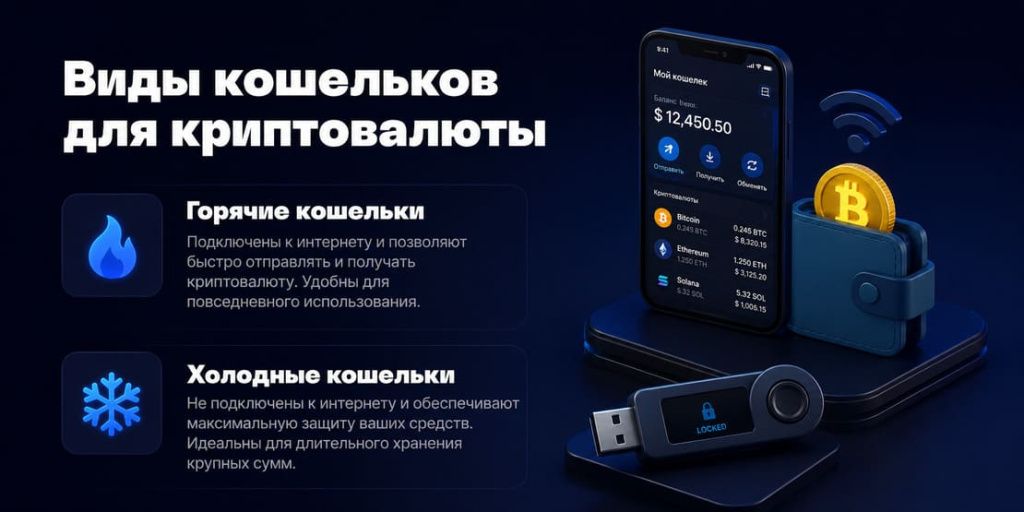
All crypto wallets are divided into two types based on one main criterion: whether the private key is connected to the internet.
Hot wallets
A hot wallet is constantly or periodically connected to the internet. These include mobile apps, browser extensions, and desktop programs. They can be created for free in 2–3 minutes and are convenient for daily transactions.
A hot wallet is suitable for small amounts and frequent transactions. It is not suitable for storing large amounts.
Cold wallets
A cold wallet stores the private key offline. Hardware wallets (Ledger, Trezor, Tangem) are physical devices that connect to a computer only to sign a transaction and are immediately disconnected. The private key never leaves the device.
Cons: prices range from 3,000 to 20,000 rubles, and each operation requires a few more steps. For long-term storage and large sums, this is the most reliable option.
Types of crypto wallets
| Type | Examples | Security | Convenience | Price | For whom |
|---|---|---|---|---|---|
| Mobile | Trust Wallet, Exodus | Average | High | Free | Beginner, daily transactions |
| Browser-based | MetaMask, Phantom | Medium | High | Free | DeFi, Web3, NFT |
| Desktop | Exodus (PC) | Medium | Average | Free | PC users |
| Hardware | Ledger, Trezor, Tangem | High | Below average | 3,000–20,000 ₽ | Large amounts, long-term holding |
| Paper | Key printout | High (when stored) | Low | Free | Archive storage |
How to create a crypto wallet for free in 2026
Most hot crypto wallets are created for free. To do this, you need to download a mobile app, browser extension, or desktop program. No passport, verification, or bank details are required to create one.
Only hardware wallets require a fee, because you need to purchase a physical device for them.
Mobile Wallet
Suitable for beginners and those who frequently receive or send cryptocurrency. Examples: Trust Wallet, Tonkeeper, Exodus, Phantom.
How to create one:
- Download the app from the official website, the App Store, or Google Play.
- Tap “Create New Wallet.”
- Write down the 12- or 24-word seed phrase on a piece of paper.
- Confirm the seed phrase in the app.
- Set a PIN or biometric login.
- Copy the address of the desired network to receive cryptocurrency.
The whole process usually takes 3–5 minutes. The golden rule: never store your seed phrase in notes, screenshots, or the cloud.
Browser wallet
Needed for DeFi, NFTs, and Web3 services. The most popular example is MetaMask.
How to create one:
- Install the extension only from the wallet’s official website.
- Create a new wallet and set a password.
- Write down the seed phrase on paper.
- Confirm the words in the correct order.
- Add the desired network if it is not selected by default.
Important: The password protects access to the extension but does not replace the seed phrase. If you switch computers, you can only restore your wallet using the seed phrase.
Desktop wallet
Suitable for those who work with cryptocurrency on a computer. For example, Exodus can be installed on Windows, macOS, or Linux.
How to set it up:
- Download the program from the official website.
- Install the app and create a new wallet.
- Write down your recovery phrase or seed phrase.
- Set a password for logging in.
- Select a coin and copy the address to receive a transfer.
For this type of wallet, computer security is especially important: an up-to-date operating system, antivirus software, and no suspicious programs.
Hardware wallet
Ledger, Trezor, and Tangem cannot be created for free: you must first purchase the device. However, private keys are stored offline, so this option is chosen for large sums.
How to set it up:
- Buy the device from an official retailer.
- Install the official app.
- Create a new wallet.
- Write down the seed phrase if the model uses one.
- Set up a PIN code.
- Make a test transfer for a small amount.
With Tangem, the process is different: the wallet is activated via an NFC card and the app. If there is no seed phrase, it’s important to set up backup cards right away.
Also, read our detailed guide on how to create a Bitcoin wallet in Russia.
Best crypto wallets in 2026: a review of 9 options
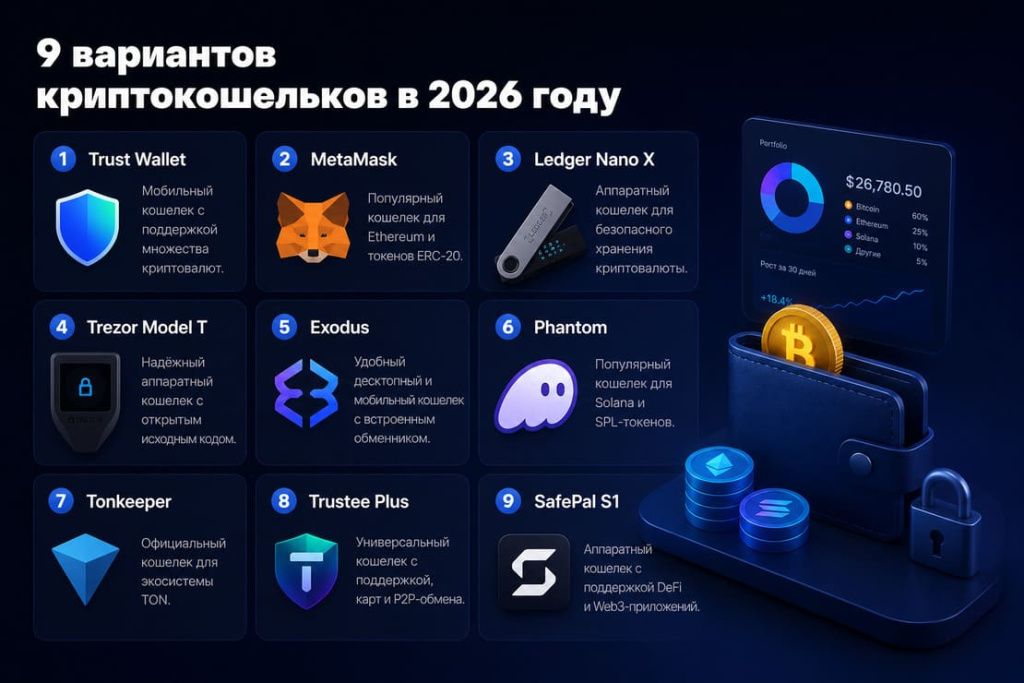
1. Trust Wallet: The Choice of the Majority
Trust Wallet started as an independent project and was acquired by Binance in 2018. This had almost no impact on users: the wallet remains non-custodial, supports over 70 blockchains, and hundreds of thousands of tokens. It works on Android and iOS and is accessible in Russia without restrictions. One of the few open-source hot wallets.
Why people choose it:
- Fully non-custodial: only you hold the private key.
- Built-in browser for DeFi and Web3.
- Buy crypto through built-in services right in the app.
Good to know:
- There is no desktop version.
- Technical support is slow to respond.
- Without a written-down seed phrase, it is impossible to recover your wallet if you lose your phone.
2. MetaMask: The Standard for Ethereum and DeFi
If you plan to work with DeFi or buy NFTs, you can’t do without MetaMask. Uniswap, OpenSea, Aave, and hundreds of other services operate specifically through it. More than 30 million active users is no accident, but rather the result of MetaMask becoming the de facto single gateway to the Ethereum ecosystem.
Strengths:
- All EVM networks: Ethereum, Polygon, BNB Chain, Arbitrum, and others.
- Built-in token swap.
- One-click connection to any DeFi site.
Honest about the weaknesses:
- Bitcoin, Solana, and TON are not supported.
- Phishing sites copy the MetaMask interface very convincingly. Only download from metamask.io.
3. Ledger Nano X is the best hardware wallet
The French company Ledger released the Nano X as the flagship of its lineup. The private key never physically leaves the device during any operations—this is a fundamental difference from any hot wallet. It supports over 5,500 coins, has Bluetooth, and integrates with the Ledger Live app.
Key features:
- Certified security element (SE).
- Works in conjunction with MetaMask, MyEtherWallet, and other wallets.
- Bluetooth: control via smartphone without a cable.
No rose-colored glasses:
- It costs around 12,000–15,000 rubles.
- In 2023, Ledger announced the Ledger Recover service—a cloud-based backup for seed phrases—which sparked a wave of criticism. The service is optional and disabled by default. But it left a bad taste in the mouths of some users.
4. Trezor Model T — open source and maximum trust
Trezor is the world’s first hardware wallet, operating since 2014. The main thing that sets it apart from competitors: the firmware and hardware are completely open-source. Any developer can verify the code. It features a color touchscreen, support for 1,800+ coins, and the Shamir Backup feature.
Why people trust it:
- 100% open source: you can verify everything yourself.
- No Bluetooth (USB only): fewer attack vectors.
- Shamir Backup: the seed phrase is split into parts that are stored separately.
Details:
- Price is around 15,000–18,000 rubles.
- Some coins, such as XRP, are not supported in all configurations.
- No Bluetooth—a plus for some, an inconvenience for others.
5. Exodus — a simple desktop wallet
Exodus is often recommended for those who want a convenient wallet on their computer. It runs on Windows, Mac, and Linux and syncs with your smartphone. Built-in exchange without registration, support for 260+ coins, and built-in staking—all in one window, without any extra settings.
What makes it attractive:
- One of the best interfaces among non-custodial wallets.
- Staking for Cardano, Solana, and Algorand right within the app.
- Integration with Trezor for cold storage.
What to consider:
- The code is closed-source: you won’t be able to verify its security yourself.
- The built-in exchange charges a spread significantly higher than that of exchanges.
6. Phantom — the best wallet for Solana
Phantom was built specifically for Solana, and it shows in every aspect: transactions are fast, the interface is clean, and NFTs are visible and managed directly within the app. If you’re buying meme coins, trading NFTs, or simply want to work within the Solana ecosystem—the choice is clear. It’s gradually adding support for Ethereum and Bitcoin.
What works well:
- Transactions are nearly instantaneous thanks to Solana’s speed.
- Built-in token swap.
- NFTs are visible and managed directly within the wallet.
Limitations:
- Its main strength is Solana itself. MetaMask is a better fit for Ethereum.
7. Tonkeeper — a wallet for TON and Telegram
Tonkeeper is the most popular non-custodial wallet for the TON blockchain. Full integration with Telegram: you can receive transfers directly via the @wallet bot. USDT on the TON network in 2026 remains one of the cheapest ways to transfer stablecoins. For more details on buying USDT, read our guide on how to buy USDT with rubles.
Convenience:
- Transaction fees on the TON network start at $0.01 per transfer.
- Integration with Telegram Mini Apps.
- Built-in TON staking.
Fair warning:
- This wallet is only for the TON ecosystem. Ethereum, Bitcoin, or Solana aren’t supported here. You’ll need a separate wallet for those.
8. Trustee Plus — for Russians, with the option to buy with rubles
Trustee Plus was created with Russia and the CIS in mind. Its main advantage: you can buy cryptocurrency with rubles directly within the app, using cards from Russian banks, without registering on a separate exchange. It supports Bitcoin, Ethereum, USDT, TON, and several other popular coins.
Pros for Russia:
- Buying with rubles without a separate exchange.
- Russian interface and support.
- Non-custodial: you hold the keys.
Drawbacks:
- The selection of coins is significantly more limited than Trust Wallet’s.
- Fees for buying with rubles are higher than on exchanges.
- If you want to buy cryptocurrency through an exchange, check out our 2026 ranking of crypto exchanges for Russians.
9. Tangem — a card-based wallet with no seed phrase
Tangem has solved one of the main problems in crypto: the fear of losing your seed phrase. Here, there simply isn’t one. The private key is generated and stored directly on the card’s chip and never leaves it. It is controlled via NFC and an app. It looks like a regular bank card and costs 3–4 times less than a Ledger.
Why we like it:
- It costs about 3,000–5,000 rubles: cheaper than most hardware alternatives.
- No seed phrase: nothing to write down and nothing to lose.
- Supports 6,000+ tokens, waterproof, and shock-resistant.
What you need to know:
- If you lose the card without a backup, you’ll lose access to your funds. Tangem recommends getting a set of 3 cards right away.
- The technology is relatively new.
Comparison table of cryptocurrency wallets
| Wallet | Type | Free | For beginners | Russia | Multi-currency | Key feature |
|---|---|---|---|---|---|---|
| Trust Wallet | Hot / mobile | ✓ | ✓✓ | ✓ | ✓ 70+ networks | Simplicity, broad support |
| MetaMask | Hot / browser | ✓ | ✓ | ✓ | EVM only | The standard for DeFi/Web3 |
| Ledger Nano X | Cold / Hardware | ✗ ~14,000 ₽ | – | ✓ | ✓ 5,500+ coins | Maximum security, Bluetooth |
| Trezor Model T | Cold / Hardware | ✗ ~17,000 ₽ | – | ✓ | ✓ 1,800+ coins | Open source, Shamir Backup |
| Exodus | Hot / desktop+mobile | ✓ | ✓✓ | ✓ | ✓ 260+ coins | Best UX, built-in swap |
| Phantom | Hot / browser | ✓ | ✓ | ✓ | Solana + ETH | Best wallet for Solana |
| Tonkeeper | Hot / Mobile | ✓ | ✓ | ✓ | TON only | Integration with Telegram |
| Trustee Plus | Hot / mobile | ✓ | ✓✓ | ✓ specifically | Major coins | Purchase with rubles from a Russian card |
| Tangem | Cold / card | ✗ ~4,000 ₽ | ✓✓ | ✓ | ✓ 6,000+ tokens | No seed phrase, card |
Which crypto wallet to choose for your needs
The concept of the “best” wallet isn’t precise. It’s more accurate to say: the best wallet for storing cryptocurrency for specific purposes. How to choose:
- You’re a beginner and just want to store Bitcoin or USDT: Trust Wallet or Trustee Plus — download, set up, and get your coins.
- You work with DeFi, participate in staking, or buy NFTs on Ethereum: MetaMask is the standard for working within the Ethereum ecosystem.
- If Solana, meme coins, and NFTs on Solana are important to you: Phantom — the best option, specifically designed for this ecosystem.
- You work with TON and receive transfers via Telegram: Tonkeeper — minimal fees, integration with Telegram.
- If you want to buy crypto with rubles directly in your wallet, without an exchange: Trustee Plus — in-app support for Russian bank cards. An alternative is to buy through a crypto exchange in Moscow.
- You hold a large amount (100,000 rubles or more) and don’t trade actively: Ledger Nano X or Tangem. A hot wallet for such amounts is an unjustified risk.
- You’re afraid of losing your seed phrase and want the simplest possible security: Tangem — no seed phrase, controlled via NFC. Buy a set of 3 cards.
- Transparency is important to you—you want to verify the wallet’s code yourself: Trezor—the only fully open-source hardware wallet.
What happens if you lose access to your wallet
Almost all reviews gloss over this issue. And that’s a mistake: this is exactly where real money gets lost. Read a detailed analysis in our article on where and how to store cryptocurrency in 2026.
The seed phrase is your only key
A seed phrase (mnemonic phrase, recovery phrase) is a sequence of 12 or 24 words generated when you create a wallet. It is the only way to regain access to your funds if you lose your phone, your device breaks, or you delete the app.
No support service can help you recover your wallet without a seed phrase. Not Trust Wallet, MetaMask, or Ledger—no one. This is fundamental: a non-custodial wallet means only you control the keys.
How to securely store your seed phrase
- Write it down by hand on paper. Do not print it: printers store a history.
- No photos, screenshots, or cloud storage. iCloud, Google Photos, Yandex Disk—all of these are potentially accessible to third parties.
- No messaging apps. Do not send your seed phrase to yourself via Telegram, WhatsApp, or email.
- Keep several physical copies in different locations. Your home and a vacation home, for example.
- Metal engraving—for large sums. There are special steel plates for storing seed phrases. Paper burns, metal does not.
What to do if your seed phrase is lost
Honest answer: if the seed phrase is lost and the device is inaccessible, it is impossible to regain access. That is precisely why storing the seed phrase is more important than choosing the wallet itself.
Crypto Wallets and the Law in Russia in 2026
The year 2026 marked a turning point for cryptocurrency regulation in Russia. Several key laws directly affect how you use a crypto wallet.
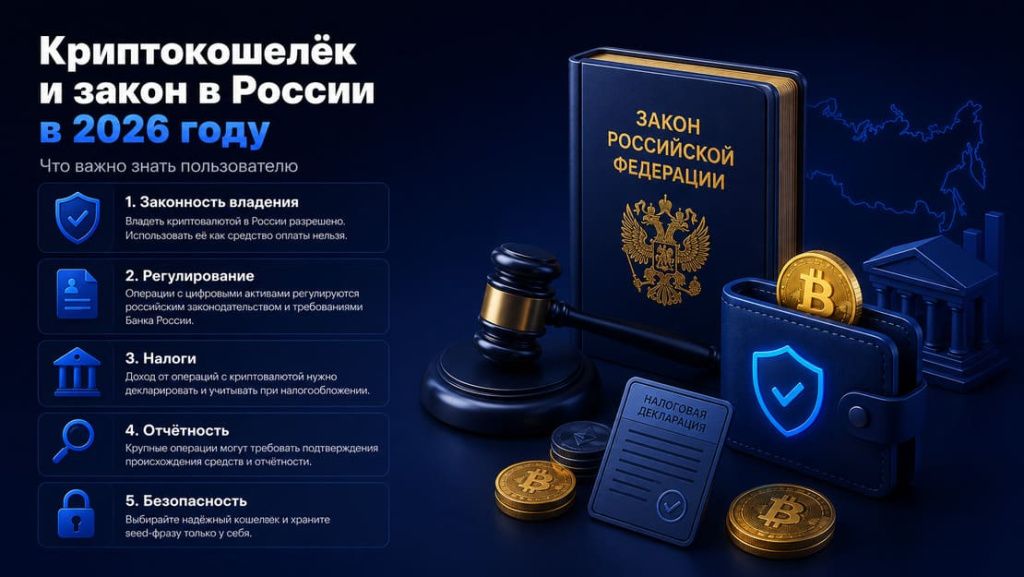
As of January 1, 2025, cryptocurrency is officially recognized as property for tax purposes (Federal Law No. 418-FZ of November 29, 2024). This means: income from the sale of cryptocurrency is subject to a 13–15% personal income tax. If held without sale, there is no tax.
On February 20, 2026, Law No. 38-FZ came into effect: Russia now has a legal framework for the seizure, confiscation, and forfeiture of cryptocurrency in criminal cases. Cryptocurrency is no longer “untouchable.”
Starting July 1, 2026, individuals are required to notify the Federal Tax Service (FTS) of foreign crypto wallets with a turnover exceeding 600,000 rubles per year.
Taxes: The 3-NDFL tax return must be filed by April 30 of the following year. The tax is due by July 15. The penalty for non-payment is a minimum of 20% of the tax amount. Learn more about the legal conversion of cryptocurrency into rubles.
Expert commentary
“The main thing Russian users need to understand in 2026 is that a non-custodial wallet is not a way to hide assets from the state, but a tool for self-storage. Law No. 38-FZ gave law enforcement agencies the authority to seize cryptocurrency in criminal cases, but this does not apply to bona fide users. Practical advice: keep a record of transactions—date, amount, exchange rate at the time of the transaction. This is your tax basis. For transactions exceeding 600,000 rubles per year via foreign platforms—notify the Federal Tax Service. Transparency now is cheaper than litigation later.”
— Alexey Ivanovich Istomin, attorney (reg. No. 77/9351), expert in digital assets and tax law
Crypto Wallet Security: 7 Rules
- Keep your seed phrase offline—no photos or cloud storage.
- Download wallets only from official websites. Fake apps on the App Store and Google Play are a real threat.
- Do not enter your seed phrase on third-party websites. No legitimate service will ever ask for your seed phrase.
- Use a separate email address for registration. Not the one you use every day.
- Check the recipient’s address before sending. Clipper viruses can replace addresses in the clipboard.
- Don’t store large amounts in a hot wallet. For amounts over 100,000 rubles, use a hardware wallet.
- Make test transfers. Before a large transfer, send a small amount to verify that the address is correct.
Frequently Asked Questions
What is the most secure crypto wallet?
Among hardware wallets, the Ledger Nano X and Trezor Model T are top choices. Both store private keys offline. Trezor wins for open-source code, while Ledger excels in the number of supported coins and user-friendliness. Among hot wallets, Trust Wallet and MetaMask have a good reputation and a long track record.
Is it possible to lose cryptocurrency stored in a wallet?
Yes, in two cases. First: you’ve lost your seed phrase and can’t regain access. Second: your private key has been compromised—the device was hacked or you entered your seed phrase on a phishing site. The cryptocurrency itself on the blockchain doesn’t disappear—you can only lose access to it.
Do you have to pay taxes on cryptocurrency in your wallet?
You don’t have to when holding it. Taxes are only due when you sell cryptocurrency at a profit. Starting January 1, 2025, cryptocurrency is recognized as property: the personal income tax rate is 13–15%, and the 3-NDFL tax return must be filed by April 30 of the following year. For transactions through foreign platforms exceeding 600,000 rubles per year, notification to the Federal Tax Service is mandatory starting July 1, 2026.
Can a crypto wallet be blocked?
Non-custodial wallets (Trust Wallet, MetaMask, Ledger)—no. No one can block your access to it as long as you have your seed phrase. Starting in February 2026, Law No. 38-FZ allows for the seizure of cryptocurrency as part of a criminal case, but this applies only to individuals involved in such cases, not to ordinary users.
Conclusion
A simple guide for those who haven’t decided yet:
- If you’re a beginner—download Trust Wallet from the official website. Create a wallet, write down your seed phrase on paper, and store it in a safe place.
- If you hold more than 100,000 rubles—buy a Tangem (simpler) or a Ledger Nano X (more powerful). Transfer the main amount there, leaving only a working balance in your hot wallet.
- If you need the Ethereum/DeFi ecosystem—add MetaMask as a second wallet for working with decentralized applications.
- If you’re working with TON and Telegram—use Tonkeeper. Fees are minimal, and transfers are instant.
There is one golden rule: a non-custodial wallet without a written-down seed phrase is a wallet you can lose at any moment. Write down your seed phrase before transferring your first coin to the wallet.
This material is provided for informational purposes only and does not constitute financial or legal advice. The accuracy of this information was verified in May 2026.