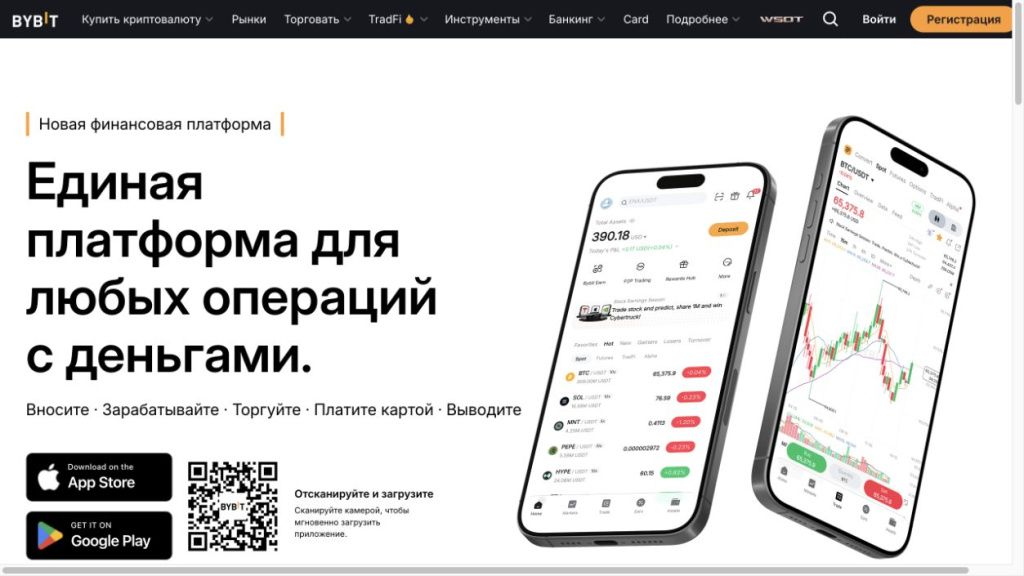
You can download Bybit on Android and iPhone through stores, links to which are posted on the official download page of the exchange. On a Windows or macOS computer, you can work in a browser. When checked on November 4, 2026, the Download page showed the App Store, Google Play, and a QR code for the phone; There were no separate buttons to load the desktop program.
An already registered user needs to log into an existing account. If you don't have an account yet, you can register via Bybit partner page from MCG. Installing the application is free. Please check the availability of the store, the service itself and individual functions for your region.
The material is for informational purposes only and does not constitute individual financial advice. Installation and testing of the application are discussed here; trading operations involve the risk of losing funds.
Where to download the official Bybit app
Start with Download pages on the Bybit website. Going from it to the store helps you select the desired application card among similar names. The link may first go through a service redirect page: before confirming the installation, look at where the card ended up opening.
The name, familiar icon and large number of ratings do not individually support the origin of the program. The entire sequence is important for verification: the official website, its download button, store card, system installation window. We discussed detailed address verification in material about the official website and entrance to Bybit.
| Device | Where to start | What to check |
|---|---|---|
| Android | Google Play via Download link | Device compatibility and card availability |
| iPhone or iPad | App Store via Bybit link | Current release requirements and device support |
| Windows or macOS | Official website in the current browser | Page address and availability of the desired function |
Don't rely on the version number from the old review. The store shows the requirements for a specific release, and Bybit changes the download pages. The Windows, APK or Mac button indicated in the search results may refer to the previous design of the site.
How to download and install Bybit on Android
Open the download page on the phone itself. This way the store can immediately assess compatibility with your device. If the page is open on a computer, scan the QR code posted on it with your phone camera and check the transition address.
- Go to Google Play using the Bybit button. Check that the application card has opened, and not an advertising page with another program.
- Review requirements and availability. If the store reports an incompatibility, write down the error text. It is more useful than the assumption that “the application is not working.”
- Start installation using store tools. Wait until the download completes and the open button appears. Do not run the second installer in parallel from the chat.
- Open Bybit and select an input. Use the previous authorization method if an account already exists. Don't create a new one just because you change your phone.
- Check the result. The application should re-open, show the profile and allow you to navigate to the desired section without an error message.
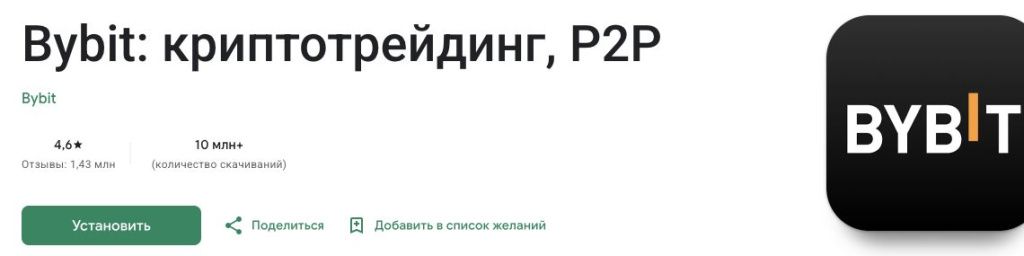
For example, the download has stopped at 80%. At this stage, the Bybit password and identity verification are not yet involved: the file is received by the store. First check your connection, free space and download status on Google Play. Resetting the exchange password will not fix such a stop.
If the file is already installed, but the error appears after entering the verification code, the problem is related to the login. Here you need to check the authorization method, device time and the code itself. Downloading the same app again without finding out the reason often returns you to the same screen.
Is it possible to download Bybit APK
V Bybit Android instructions describes the installation of the official APK. This is the Android installation file format. If the APK is offered on the current exchange page, you need to take it directly from there. If there is no such button, check the available method in support: the link from the old screenshot does not replace the current source.
To install an APK, Android may ask permission for the specific application opening the file. This is different from disabling system protection entirely. Read the request and provide only the necessary permission to the trusted source; Once installed, it can be revoked. If you are prompted to disable your antivirus or security checks, stop.
File name like bybit.apk does not confirm its authenticity: any file can be renamed. Do not use "modified", "unlocked" or old APKs from third party directories. Such a package may differ from the exchange's release, even if it copies the login screen.
How to download Bybit on iPhone and iPad
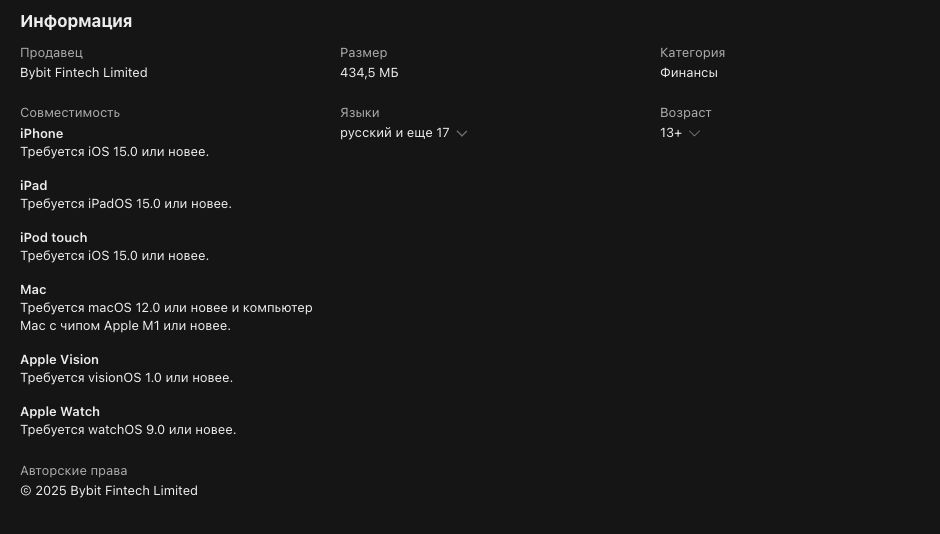
Go from Download to the App Store and check the requirements in the card. First, check compatibility with the iOS or iPadOS version, then the availability of the application for your store region. These are two separate conditions: a suitable phone model alone does not guarantee download availability.
If installation is available on the card, do the usual Apple confirmation and wait for the app to appear on your device. An existing Bybit user needs a login button. Confirming the download with Apple and authorizing on the exchange are different actions.
Practical example: a person downloaded an application using his Apple ID, and previously created an exchange account by email. To access your previous balance, you need the exact Bybit account. The mere fact of downloading through the App Store does not automatically associate it with any new sign-in through Apple.
If you previously used Sign Up with Apple with Hide My Email, your account may have a hidden Apple address. B Bybit settings help this case has been analyzed. First, restore your original login method instead of registering another profile via regular email.
"Not available in your region" message is not fixed by installing Android APK: iPhone does not use this format. Do not buy someone else's Apple ID or install management profiles from resellers. Check the official availability of the service; Browser login is also subject to regional restrictions.
Do I need to download Bybit on PC: Windows and macOS
To work with the exchange on a PC, open the official website in a browser and log in to your existing account. There was no separate Windows or macOS installer offered on the tested Download page. You do not need to download EXE or DMG from a third-party collection for this.
If Bybit adds a separate desktop version, you should check it on the current download page along with the system requirements. For now, you should not select a program by a similar name in a third-party directory. Also, you don’t need to install an Android emulator just to access your browser account.
A site shortcut on the desktop and a separate program are two different things. The shortcut opens the address in the browser; it does not confirm that you have installed a stand-alone exchange client. To check, just look at which address opens and which browser it is served by.
B Bybit recommendations for site operation advise using an up-to-date browser and a stable connection. If the page is frozen after a long period of inactivity, refresh it. Before resending the application, first check the history: the absence of a reaction on the screen does not mean that the action was not completed.
What to check after the first start
First, make sure you are logged into the correct profile. Check your account details and UID with your previous session. If the balance looks empty, do not replenish it again for the sake of verification. Check whether the account is selected and in which section the funds are displayed.
For example, on the main screen the total value of assets is visible, but on the trading screen the available amount is less. This is a reason to look at the distribution of funds and the amounts borrowed. The structure of accounts is discussed in the article about Funding Account and Unified Trading Account. Reinstalling the application does not transfer money between them.
Check permissions for a specific action. A camera may be required to read a QR code or verify your identity. A request to control the entire device, install an additional certificate, or transfer the seed phrase of an external wallet requires stopping and finding out the reason. To log into an exchange account, the seed phrase of another wallet is not needed.
Before transferring money, you can study the interface without an actual transaction. To get acquainted with orders, there is a demo trading Bybit. Check which mode you are in: test assets are not your real deposit.
How to find out the Bybit version and check for updates
The version of the installed application is checked inside it. By Bybit instructions you need to open the profile icon in the upper left corner and select “About Us”. This screen shows the current release number. Double-clicking the Bybit logo reveals more information.
Don't compare the Android number to the iOS number as two estimates of newness: they are different builds for different systems. To update through the store, open the card on your device. If there is no update button, note the installed version and the store message - they will be useful when contacting support.
The official APK instructions allow updating on top of an existing installation. However, if there is a package conflict, do not blindly delete the old application: first check access to your account, mail and login confirmation. If you receive a warning about an incompatible or unverified package, check the origin of the file.
Example of a useful entry: “Android, application version 1.2.3, the store shows “Open”, after going to Assets such and such text appears.” The number here is conditional. The wording "I have the latest version" prevents support from checking the release and reproducing the bug.
Bybit does not install or open: how to find the reason
Start from the step where the error occurred. It helps you choose a check and not reset everything.
- The card does not open in the store. Check the Download link and read the message about region or availability. Another icon with a similar name does not replace the desired program.
- Loading does not complete. Check connection and free space. See if the store is waiting for your confirmation or another download to complete.
- The system does not accept the installation. Check device compatibility and package source. Record the warning without disabling protection to continue.
- The application starts, but the login fails. Check the original authorization method and login confirmation. Installing a new package does not restore lost access to mail or 2FA.
- One section does not load after logging in. Record its name, application version, time and error text. Check the connection and open the partition again.
A failed update and verification code error may look similar: the user sees a login screen and is unable to continue. But for the first case, information about the package and system is needed, for the second - an authorization check. First save the exact text, then change the settings.
If the screen freezes immediately after the buy, withdraw or exchange command, do not press it repeatedly. Check your transaction history and balance through the accessible official interface. Repeating a financial action just because the application has not updated the picture is dangerous by duplicating the application.
What to include with a crash report
Prepare the device model, system and application version, error time with time zone and sequence of actions. To take a screenshot, select the error screen itself; close confirmation codes, details and unnecessary personal data. How to create a request and track its number is discussed in Bybit support instructions.
When requesting official support, you can submit a diagnostic log from the app. B App Log instructions the path is specified: profile → About Us → double click on the logo → App Info → Send Log. Wait for the Sent Successfully message and do not close the application while sending.
The magazine transmits technical data to the Bybit team. It does not replace a description of the problem: support still needs to understand which action failed and at what time. Do not send diagnostic materials to a random Telegram chat to a person who introduces himself as an employee of the exchange.
How to switch to a new phone without losing access
Installing Bybit and transferring the application with 2FA codes are separate operations. Downloading the exchange client does not automatically transfer the verification key from the old phone. Before resetting it, make sure you can get the correct code and sign in from your new device.
Bybit publishes Google Authenticator transfer instructions through export and import of codes. The export QR code contains a secret for generating confirmations: it cannot be published, sent to a consultant, or saved to a shared album. Transfer directly between your devices.
After logging in to your new phone, check your profile and access to the necessary sections. Then review your trusted devices in your security settings and remove the old one if you no longer use it. The order must maintain a working method of entry throughout the replacement.
If your old phone is lost and you don't have access to 2FA, simply reinstalling Bybit won't solve the problem. We need a restoration procedure through an official form. Don't pay a "balance transfer" to someone who promises to bypass identity verification.
Frequently asked questions
Does Bybit download and trade cost separately?
There is no need to pay to install the application. Executed trades, withdrawals and other transactions may generate costs. Their calculation is discussed in the article about Bybit commissions. Free download does not mean free operations.
Will deleting the app close my positions?
Removing the program from the phone is not in itself a command to close an order or position. Before changing your device, check the status of your account transactions. If access is lost, contact official support.
Why are the buttons positioned differently in the screenshot?
Check the platform, version and interface language. Match the purpose of the section and the labels of the fields. If the desired action is not available, check its availability instead of repeating clicks on the coordinates from the old picture.
When installation is complete
The application is installed from a trusted source, opens again, and the login leads to the desired profile. You know its version and have saved access to the login confirmation. Available for new account Bybit affiliate registration from MCG. Please check your region's terms of service and product availability before making a deposit.