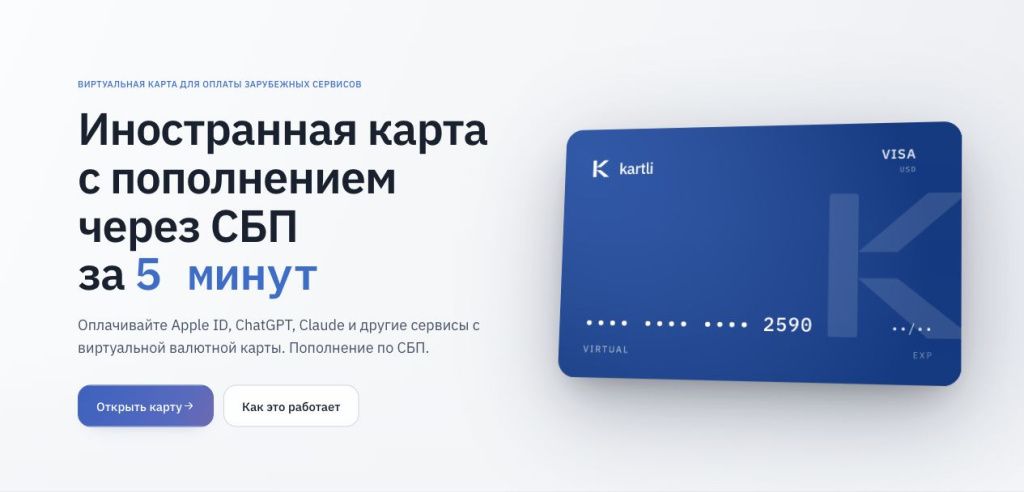
Kartli offers a virtual Visa card denominated in US dollars. You can apply online and top it up in rubles through Russia’s Faster Payments System (SBP). The basic card costs ₽990 to issue and is valid for three years. The card details become visible after the first top-up. The two higher tiers also support Apple Pay and Google Pay for purchases abroad.
The card can be useful when a foreign merchant accepts internationally issued Visa cards but a card from a Russian bank is declined. Issuance and funding are separate payments. With the basic plan and the minimum top-up, your initial outlay is ₽2,490: ₽990 for issuance and ₽1,500 converted into dollars at Kartli’s exchange rate.
Visit Kartli. We checked the fees and terms on November 13, 2026. The interface images come from public screens and help pages. We did not order a card or make test payments for this review.
What Kartli is and how its virtual card works
A virtual card gives you a card number, expiration date and CVV to enter at a merchant’s website or in an app. There is no physical card. If your plan supports a mobile wallet, you can add the card to your phone and pay at compatible terminals. Moscow City Guide’s virtual card directory covers cards with a range of issuance and top-up options.
Under the public offer, Kartli is operated by Mercury Strategies Limited, registered in Hong Kong under BRN 76869644. Kartli arranges issuance and provides the account dashboard. An overseas issuer issues the card and processes transactions. The operator’s place of registration does not tell you where a particular card was issued. If a merchant requires a card from a specific country, confirm the issuing country for the available plan before paying the issuance fee.
The balance is held in USD. You can see the card details, billing address and transaction history in your account. You do not have to buy cryptocurrency to top up through SBP. See our virtual Visa directory to compare other cards on the same network and the Kartli listing for a summary of the service.
What you can use Kartli for
Work tools and AI services
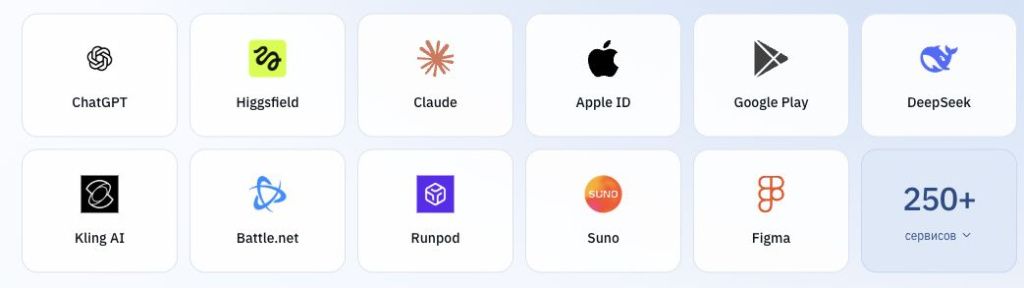
Kartli’s help center has guides for Figma, Cursor, Suno and other tools. Check ChatGPT and Claude separately: OpenAI and Anthropic impose country restrictions that a different card does not change.
Subscriptions, apps and digital purchases
The card works with app stores, cloud services and streaming platforms that accept its details for your account region. On auto-renewal the merchant charges the same card. For several subscriptions, add up prices, taxes and fees, check the renewal dates and consider funding the card in one top-up. Cancel auto-renewal with the merchant when you no longer need the service to avoid further charge attempts.
Shopping and travel
At an online store you enter the card details as you would with any Visa card. The merchant decides whether to accept the transaction. The Travel and Premium plans also let you pay by phone on a trip. Check booking terms if a hotel or rental agency asks for a physical card or a credit card for a deposit. A Visa card in a mobile wallet may not qualify for a deposit. See our international virtual card directory for other options.
Kartli plans: issuance, maintenance and limits
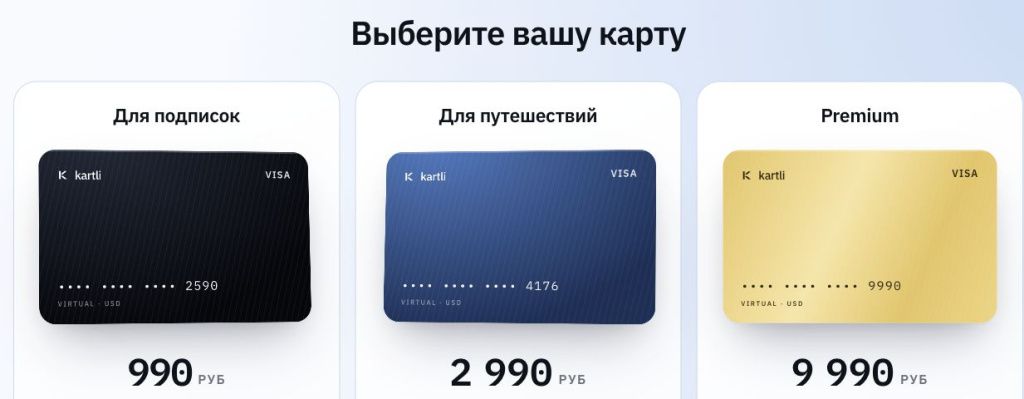
You choose a plan for the life of the card. Kartli issues one card per account. Premium is available if offered in your dashboard. The issuance fee is separate from the card balance, so you will need to fund the card separately before making purchases.
| Feature | Subscriptions | Travel | Premium |
|---|---|---|---|
| Issuance | ₽990 | ₽2,990 | ₽9,990 |
| Validity | 3 years | 3 years | 3 years |
| Calendar-month purchase limit | $10,000 | $50,000 | $200,000 |
| Apple Pay and Google Pay | No | Yes | Yes |
| Maintenance in a month with a purchase | $1 | $0 | $0 |
| Total fees for a month without purchases | $2 | $1 | $0 |
| Successful USD purchase | $0.25 | $0.25 | $0 |
| Zero-amount card verification | $0.25 | $0.25 | $0 |
| Declined authorization | $0.50 | $0.50 | $0.50 |
| Additional fee for non-USD payments | $0.50 + 1.1% | $0.50 + 1.1% | $0.50 + 1.1% |
| On expiration | Card closes and balance is refunded under the terms | Free reissue | Free reissue |
On the Subscriptions plan, the $1 maintenance fee is charged on the first day of the month. If there were no successful transactions in the previous calendar month, Kartli adds a $1 inactivity fee. Travel has no maintenance fee in months with a purchase and charges $1 in months without one. These fees do not apply in the month the card is issued. A top-up alone does not count as activity.
If your balance cannot cover the fees, your dashboard shows the amount due and your card may be frozen. Your next top-up goes toward that debt first. Maintenance and inactivity fees under your plan can continue to accrue until the card is closed. Keep this in mind if you only need it for an occasional trip or a single subscription.
Reissue on request costs $2. You keep your plan and balance, and the new card gets a different number. When you close the card, Kartli says it returns the balance via SBP within 14 days. The fee is 10% of the balance, with a $3 minimum. Closing with $20 left costs $3, while closing with $50 left costs $5. See our cards for subscriptions for a comparison of monthly costs.
Check the latest terms on Kartli’s website. The card usage rules explain the fees and when they are charged.
How to get a Kartli virtual card
1. Open Kartli and start your application
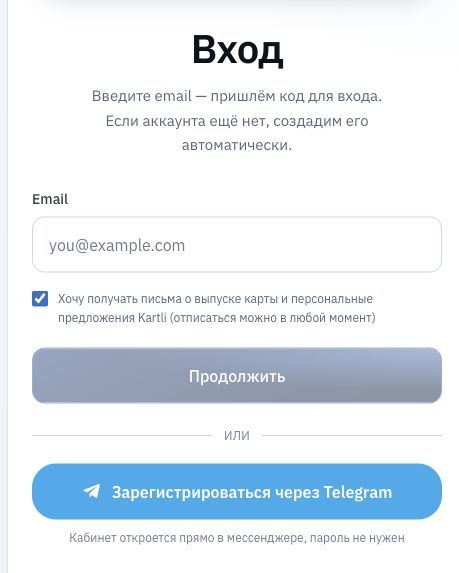
Click Open a card on the home page. This takes you to app.kartli.io, where you can sign in by email or register through Telegram. Before proceeding, read the terms and check the mailing-list option below the email field.
2. Verify your email address
Enter an email address you can access. Kartli sends a one-time code and creates an account automatically the first time you sign in. If the email does not arrive, check the address and your spam folder, or request another code if available. Enter the code on Kartli’s sign-in form and keep it private. The service is for adults under its terms, and some applicants may be asked for additional identity information.
3. Choose a plan before paying
For browser-based subscriptions, start by comparing the basic plan and its monthly fee. If you plan to pay by phone, check whether your device is compatible with Travel or Premium. You cannot change the plan on an active card once issued.
4. Pay the issuance fee
Check the plan and full price on the order page. Kartli lists SBP as an issuance payment method. Use the options displayed in your order if others are available. Double-check the amount and purpose in your banking app, and keep the receipt until the card appears. If you were charged and the order status did not change, check the transaction before contacting support with the order ID.
5. Wait for the card and fund it
Kartli says issuance typically takes a few minutes. The actual timing depends on the payment, the issuer and any verification needed. The card may appear in your dashboard while its number, expiration date and CVV remain hidden. They become visible after your first top-up clears. Link Kartli’s official Telegram bot from your dashboard before the first purchase so you can receive any 3-D Secure requests.
6. Check the details before your first payment
After topping up, open the card in your account and check the expiration date, available balance and billing address. Use the details shown there in the merchant’s payment form. If the merchant asks separately for a shipping or residential address, enter the actual address. Keep card details out of shared documents and messages.
Start your application on Kartli.
How to top up Kartli through SBP
Open the top-up screen in your account and enter an amount in rubles. The minimum is ₽1,500 per top-up. Kartli shows the exchange rate and the amount in dollars before confirmation. There is no separate top-up fee. The rate varies and can differ by plan.
- Enter the amount and check how many dollars will reach the card. If you owe money, part of the top-up will go toward that debt. Your dashboard shows the breakdown.
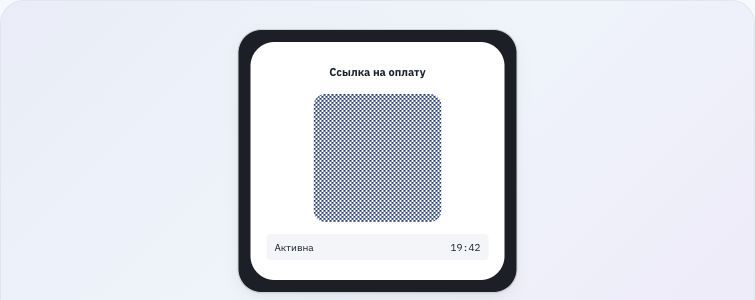
- Generate an SBP payment. Kartli’s demo shows a QR code and a 20-minute countdown. The exchange rate for that request is locked when the QR code is created.
- Open your banking app and confirm the payment from your own account. If the request has expired, generate a new one and check the rate again.
- Return to your dashboard and compare the transaction history with the change in your balance. If your bank has debited the money but it has not arrived, keep the receipt and check the request status before trying again.
Kartli did not publish the November 13, 2026 exchange rate on its public pages. Use the five amounts below to check the quote in your account. R is the number of rubles per US dollar shown for your request. Compare the result with the amount in the payment form, allowing for rounding and any debt repayment.
| Top-up | Exchange rate | USD calculation before debt repayment |
|---|---|---|
| ₽1,500 | R shown in your quote | 1,500 ÷ R |
| ₽3,000 | R shown in your quote | 3,000 ÷ R |
| ₽5,000 | R shown in your quote | 5,000 ÷ R |
| ₽10,000 | R shown in your quote | 10,000 ÷ R |
| ₽20,000 | R shown in your quote | 20,000 ÷ R |
The daily ruble top-up limit is ₽10,000 per card without phone verification in the Telegram bot and ₽100,000 with verification. Before topping up ₽20,000 in a day, confirm your verification status and the per-transaction limit in your account. Kartli’s terms set a monthly limit of ₽600,000 per card. Your bank may have separate SBP limits. Compare options in our guide to cards with SBP top-ups.
How to pay for international services
Online payment example: Figma
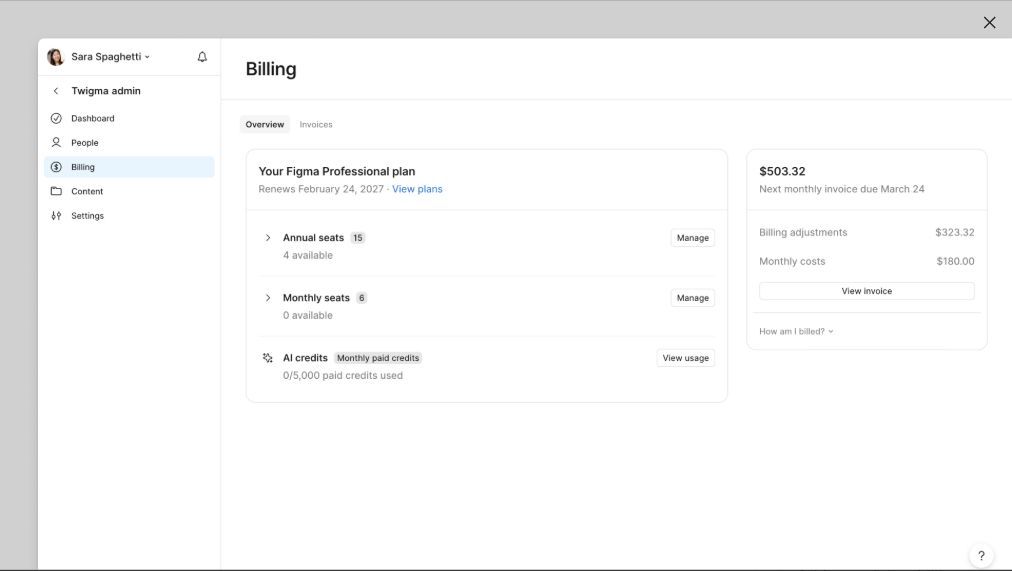
If you manage billing for a Figma workspace, open its settings and find Billing. Check what the subscription includes, the number of paid seats, the billing period and the total after tax. For teams, the amount due may differ from the price for one seat shown on the pricing page. For a successful USD payment, Kartli adds $0.25 on the basic and Travel plans.
Enter the card number, expiration date, CVV and billing details. If you receive a 3-D Secure prompt, verify the merchant and amount before confirming it through the linked bot. After paying, look for the purchase in Kartli and a paid invoice or active plan in Figma. If you need support, keep the merchant receipt and the card transaction ID handy.
ChatGPT
In a supported country you can choose a ChatGPT plan in your browser. The checkout page shows the price and currency. OpenAI requires a card issued in a supported region. Before ordering a card, check OpenAI’s country list and its payment requirements. Russia is outside the supported regions as of this review. In-app payments are billed through the App Store or Google Play. See our comparison of cards for ChatGPT.
Claude
Anthropic’s updated supported regions policy took effect on November 12, 2026. It covers its apps, API and organizational use. Russia is outside the supported regions. If you are in a supported region, check the available plan, the total with tax and the renewal date before adding your card. See our comparison of cards for Claude.
Apple ID, iCloud and the App Store
Add a payment method under Payment & Shipping in your Apple Account settings. Requirements vary by country, so check Apple’s accepted payment methods for your region. If Apple accepts the card, it can use it for purchases and renewals under your account settings. Adding a payment method to your Apple Account covers Apple purchases and subscriptions. Adding a card to Apple Wallet sets it up for Apple Pay.
Cursor, Suno and other subscriptions
Check how Cursor bills usage beyond your plan and look up the price and renewal period for your chosen Suno plan. Moscow City Guide has a comparison of cards for international services.
Apple Pay and Google Pay abroad
Contactless payments are available on Travel and Premium. On an iPhone, open Wallet and add a payment card. On a compatible Android device, open Google Wallet and add a payment method. Enter your Kartli card details and complete any issuer verification. In-store payments depend on country support, a compatible device and contactless payments being enabled. You can check that the card is in your wallet before leaving.
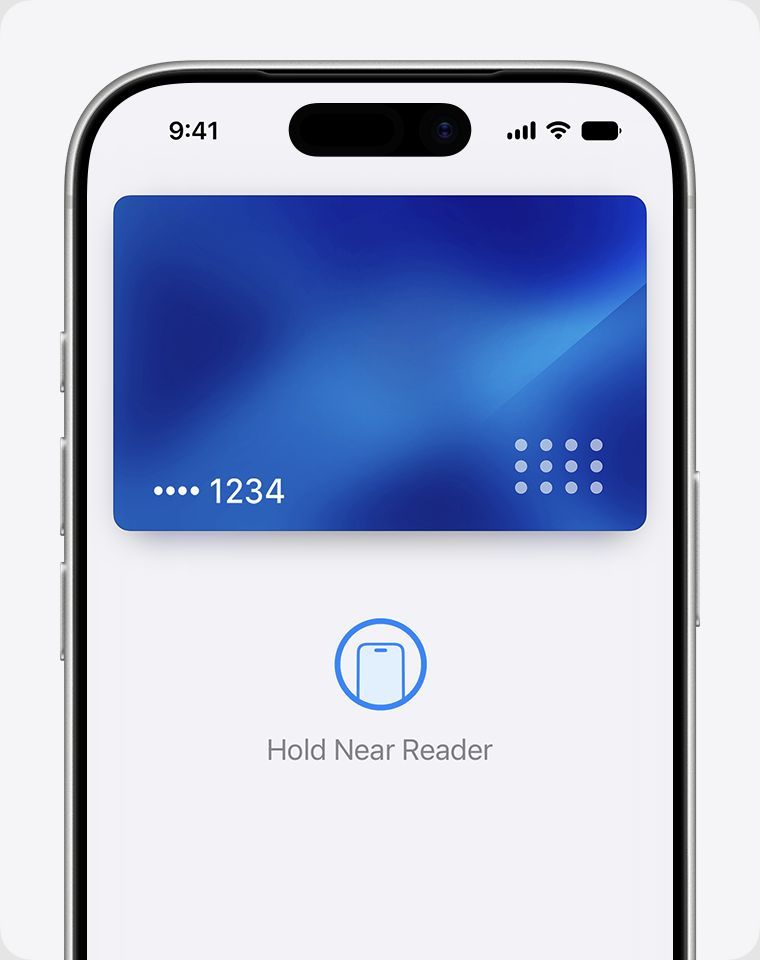
When paying, your iPhone will ask you to hold it near the reader. Check the terminal’s currency. If the merchant offers its own conversion, compare the total with Kartli’s rate and fees. A payment in the local currency can also incur Kartli’s conversion fee. The card is designed for cashless purchases. The terms specify a separate charge if the issuer does process an ATM transaction, so plan on paying by card rather than withdrawing cash.
What the card really costs
Budget in two currencies. You pay for issuance in rubles, while purchases and fees are charged in dollars. Use the exchange rate in your top-up quote to estimate monthly costs in rubles. If a merchant quotes a price before tax, add the tax before calculating card fees. The examples below use the current plan fees and exclude taxes and issuance.
- One $10 monthly subscription. On Subscriptions, the purchase costs $10.25. The $1 maintenance fee brings a normal month to $11.25. In the issuance month, the total is $10.25 if that is your only successful purchase.
- Three subscriptions costing $12, $15 and $20. That is $47 for the services and $0.75 in fees for three successful USD transactions. Including maintenance, a normal month on the basic plan totals $48.75. The same payments cost $47.75 on Travel and $47 on Premium. Each plan has a different one-time issuance fee.
- An overseas purchase equivalent to $100. Paying in a currency other than USD on Travel costs $0.25 for the purchase plus $1.60 for conversion. The total is about $101.85 including the purchase. On Premium it comes to about $101.60.
A merchant may run a zero-amount authorization when you first add a card. On the first two plans, this costs $0.25 even before a purchase. Each declined authorization costs $0.50 on every plan, so three declined requests add up to $1.50. If payment fails, check your balance, currency, billing address and authentication request before retrying.
Kartli reviews: what users report
When checked, Kartli’s reviews page showed 67 posts and an average score of 4.85. These reviews are hosted by Kartli and describe the purchases and difficulties reported by their authors. We could not verify a representative sample on independent sites.
Payments and renewals. Terra (October 26, 2026) says two work subscriptions went through and they left money for the next renewal. Alina Sergeeva (September 28) reports paying for a Figma team seat. Mark (September 27) says his card appeared in about ten minutes and his ChatGPT payment went through. That timing is for one application. Check ChatGPT’s regional requirements separately.


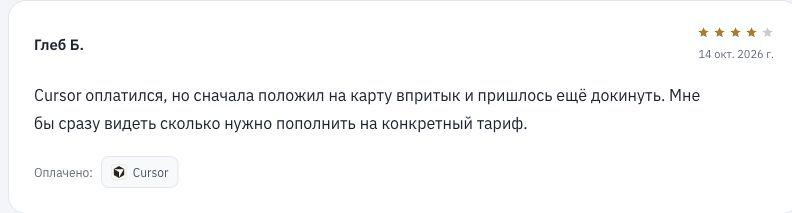
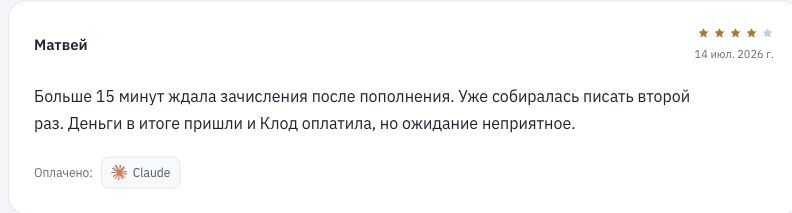
Balance, verification and waiting times. Gleb B. (October 14) says the Cursor payment went through after another top-up. Sergey (October 12) paid for Perplexity but rated the service lower because he had to install Telegram for verification. Matvey (July 14) describes waiting over 15 minutes for the top-up before paying for Claude. These examples help you plan the first payment: check the total with fees, link the bot and allow time for the top-up to clear.

Kartli’s advantages and limitations
The main convenience is opening a USD Visa online and funding it from your own ruble account. You see the dollar amount before paying and can review card fees separately in the transaction history. Two plans let you pay by phone abroad.
Account for fees in months without purchases, declined authorizations and balance refunds on closure. The card is for purchases of goods and services, and Kartli prohibits using top-ups to receive money from third parties. Even with enough funds, acceptance depends on the issuing country, merchant rules and transaction checks.
Frequently asked questions
Can I apply from Russia?
Kartli offers online registration and issuance with payment through SBP. Availability for individual users depends on the operator’s and issuer’s requirements.
Do I need a passport?
You can start registration by email or Telegram. The terms allow for additional identity checks. The information required depends on your application.
How long does issuance take?
According to Kartli, the card is typically issued within a few minutes of payment.
How much is the first top-up?
The SBP minimum is ₽1,500 per transfer. You pay this separately after paying the issuance fee. Your account shows the exact USD amount to be credited.
Will my subscriptions renew?
Yes, if the merchant supports recurring billing and accepts the card at the next renewal. Allow for taxes, currency conversion and card fees when checking your balance.
What if a payment is declined?
Check the amount with fees, the billing address, regional requirements and any Telegram prompt. If you cannot identify the cause, send support the time, merchant and transaction ID. Keep your CVV and one-time code private.
Can I get the issuance fee back?
The refund terms apply within three calendar days of issuance. You must have made at least one attempt with enough funds, linked the bot and tried again as advised by support. There must have been no successful purchase on the card. The issuance fee refund and the remaining balance refund are calculated separately.
Who is Kartli for?
The basic plan is convenient for several recurring international subscriptions if the merchants accept the card and the monthly fee fits your budget. Travel is geared toward paying by phone abroad. Evaluate Premium based on the number of transactions, the limit and the issuance fee. The less often you use the card, the more weight upfront costs and inactivity fees carry.
Work out the total for your next purchase, including fees, and check how many rubles you need to top up. See Kartli’s terms on the official website.