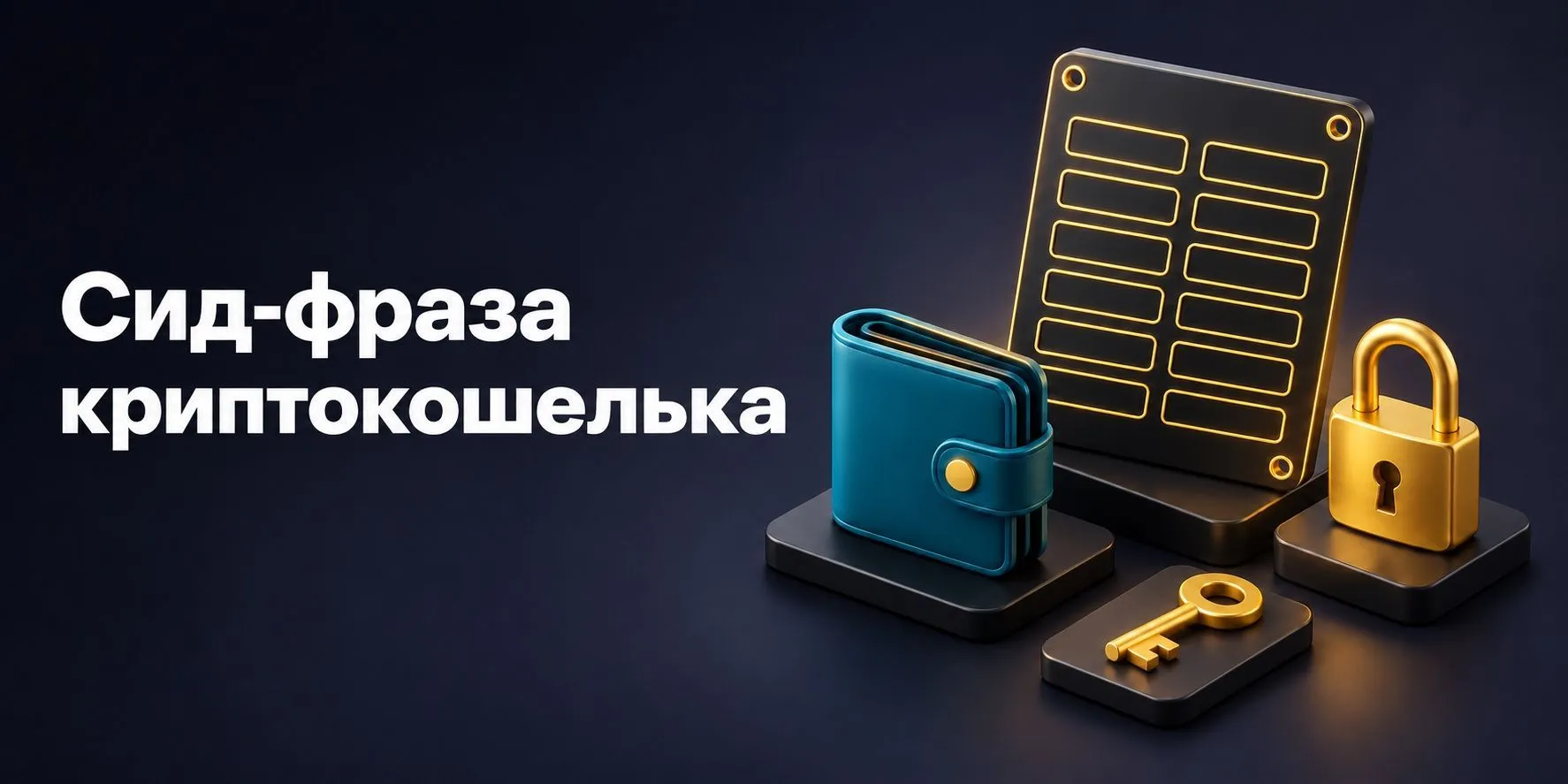
A seed phrase lets you restore a crypto wallet's keys after losing a phone, a computer failure or deleting an app. It is usually a sequence of 12 or 24 words in a specific order. Someone who obtains it can often control the assets without the old device or its password. That is why a backup should be prepared in advance and stored separately from everyday wallet access.
The recovery process depends on how the wallet works. One app requires a set of words, another supports sign-in through a linked account, and a hardware wallet may also use a passphrase. An exchange account has a separate process: the platform restores access after verifying the owner. Identify your situation before choosing instructions.
Below, we explain how a seed phrase differs from a private key and PIN, how to check a backup without deleting a working wallet, and what to do if the balance appears empty after recovery. The diagrams contain only blank fields, with no real phrases, keys or QR codes.
- Your wallet still works: preserve access, identify its backup method and check the backup using the wallet's own tools.
- You have the phrase but lost the device: use a compatible wallet from an official source.
- You have neither access nor a backup: check whether your particular app supports an alternative recovery method.
- Someone else saw the phrase: changing the local password does not revoke their access to the keys.
Seed phrase, private key and password: what is the difference?
| Information | Purpose | What you need to preserve |
|---|---|---|
| Seed phrase | Restoring the corresponding set of keys | Every word in the exact order |
| Private key | Controlling the corresponding address or account | A separate backup for a separately imported key |
| Password / PIN | Protecting access to an app or device | Its role depends on the access model |
| Passphrase | An additional string that derives a different wallet | Exact spelling; it cannot be reset like a password |
| Public address | Receiving transfers and viewing transactions | The correct network; an address cannot replace keys |
A password and PIN protect a particular means of access. After restoring a wallet on a new device, the app may ask you to set a new password. That does not invalidate the old seed phrase: it can still derive the corresponding keys.
A phrase is not an address either. A public address is used to receive transfers and view transactions in an explorer. By itself, it does not allow someone to sign an outgoing transaction. Giving a counterparty your address and giving them your recovery phrase grant entirely different levels of access.
How a seed phrase relates to the cryptocurrency in your wallet
Many wallets use the BIP39 standard. It describes converting random data into a mnemonic sequence and deriving the seed used for keys. The standard allows 12, 15, 18, 21 or 24 words. Length alone does not establish compatibility between wallets.
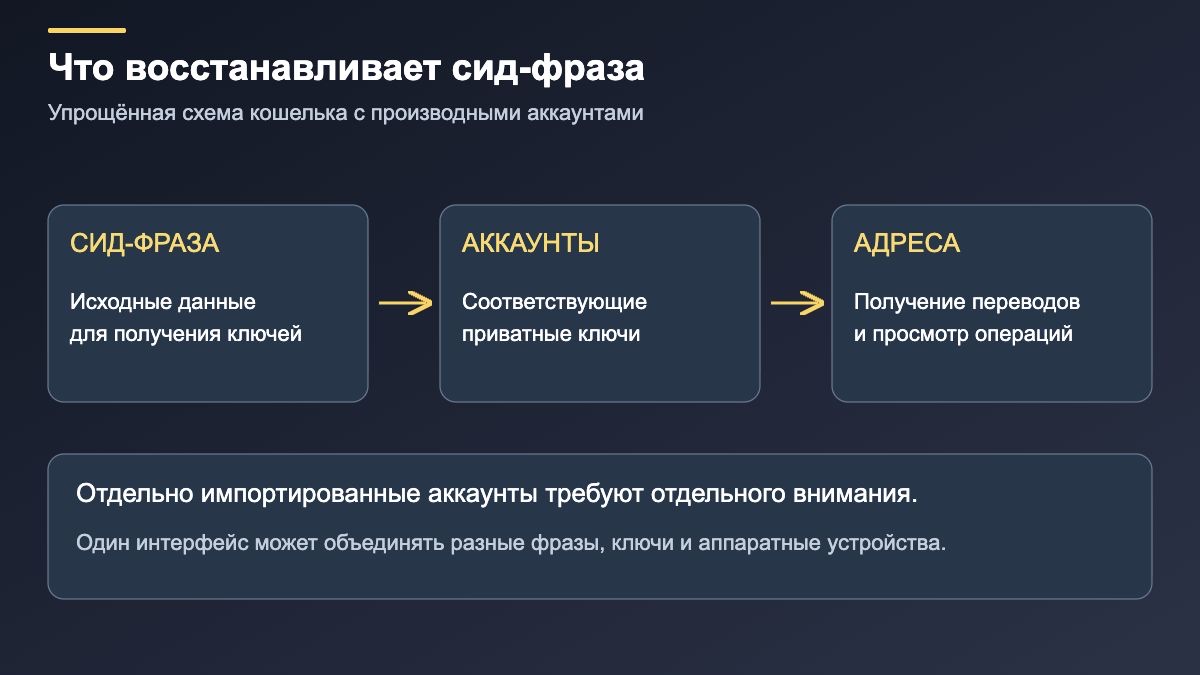
The software selects the words using a defined procedure. Do not invent a phrase from a favourite quotation or rearrange words for convenience. Exact spelling and order matter. Translating English recovery words into another language also produces a different record that will not restore the original wallet through the normal process.
One phrase may be used for several accounts and addresses created in sequence. However, a separately imported private key, another seed phrase or a connected hardware device may belong to an independent key set. Seeing everything in one app is convenient, but does not mean one backup covers every account displayed.
How to save and verify a recovery phrase
Check the backup before deleting the app or resetting the device. When creating a crypto wallet, it is best to set up recovery straight away.
- Establish exactly what is backed up. Find the backup or recovery section in your wallet's official instructions. Account separately for imported accounts and an additional passphrase, if used.
- Write the words in order. Numbering helps reveal omissions. Check handwriting, similar-looking letters and line order. Do not correct a word from memory if you can verify it through the app's supported process.
- Choose a storage location. Paper is vulnerable to fire and water; a metal backup can still be found or taken. Physical preservation and restricted access matter together, not just the material used.
- Run the built-in backup check. Some wallets ask you to repeat selected words. Hardware devices may support a recovery check without deleting the existing keys. Follow the instructions for your model.
- Keep non-secret reference details separately. The app name, networks used and public addresses help confirm that the correct wallet was restored. Do not turn these details into a public inventory of your assets.
A photograph, an email to yourself or a cloud note creates additional places where the phrase could leak. Consider automatic syncing and access from other devices. Every physical copy also needs protection.
How to restore a wallet on a new device
Open the developer's official website or a verified app listing and check the name, publisher and address. A search advertisement and a familiar-looking icon do not prove authenticity. Enter the phrase only into a trusted wallet's designated recovery function. “Security check” forms, support chats and websites promising to recover a missing balance are not suitable places for it.
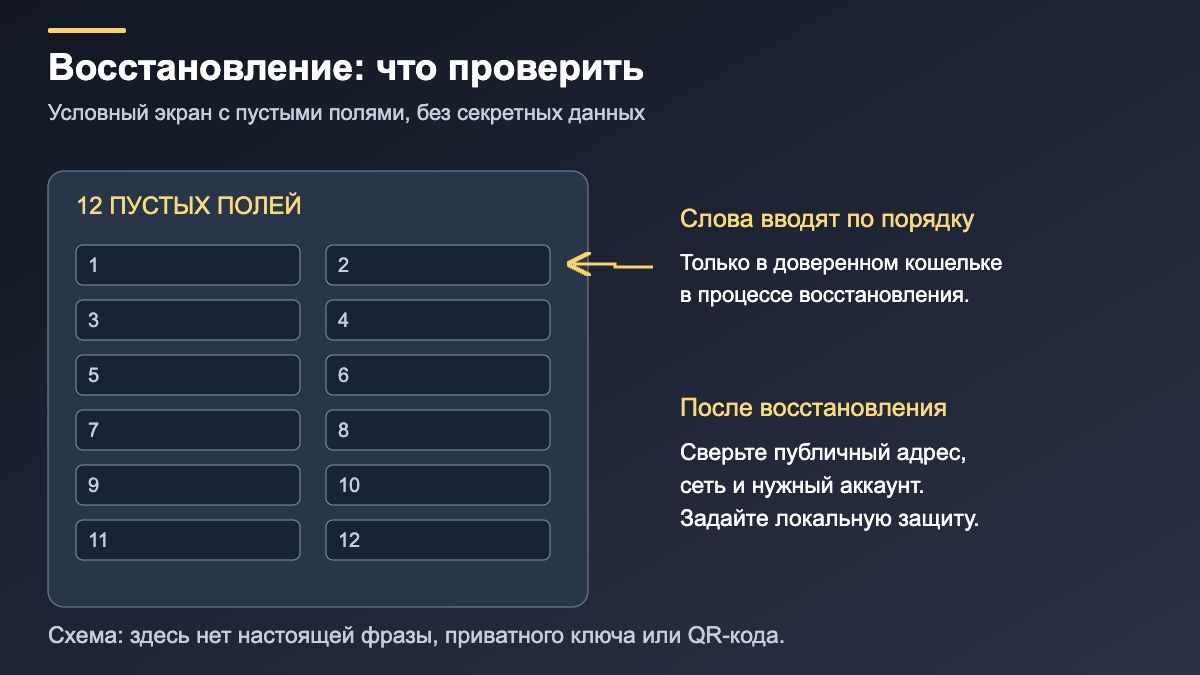
For a conventional seed-phrase wallet, the process is to install a compatible app, choose to restore an existing wallet, enter the words in their original order and configure local security. If you used an additional passphrase, you will need that too. Then verify the public address and network before checking the balance.
For a hardware device, consult the manufacturer's instructions to establish how and where words should be entered and confirmed. A third-party website requesting your backup for “synchronisation” is not part of the normal procedure.
If you signed in with Google, Apple or another account
Modern apps may support several access models. For example, MetaMask distinguishes wallets created with a Secret Recovery Phrase from sign-in using a linked Google, Apple or Telegram account and a MetaMask password. Recovery depends on how the wallet was created and what information you still have. A familiar sign-in button in a new app version does not mean your old wallet is linked to it.
A seed-phrase wallet's local password usually cannot replace the backup on a new device. Check your sign-in method before resetting anything; our MetaMask review discusses the app's features.
Why is the wallet empty after recovery?
A zero balance in the app does not always mean the funds are lost. Compare the public address with the one that received your earlier transfers. If it matches, check the relevant network and its explorer. A token may be absent from the app's list even though it is recorded on the blockchain.
- The wrong network is selected. Balances on Ethereum and another compatible network are checked separately, even when the address is the same.
- A different account is selected. The app may initially show the first address in the restored set. Previously created accounts may need to be added in their original order.
- The account was imported separately. It may need its own phrase, a private key or a connection to a hardware device.
- A passphrase was used. A different string, including a typing error, may open a separate empty wallet.
- The apps derive addresses differently. When moving between wallets, check their documentation for supported key and address derivation schemes.
MetaMask documentation explains how to restore missing accounts. Sync rules differ between a seed-phrase wallet and sign-in through a linked account. Restoring one address does not always bring back the full previous list.
What to do if a seed phrase is lost or exposed
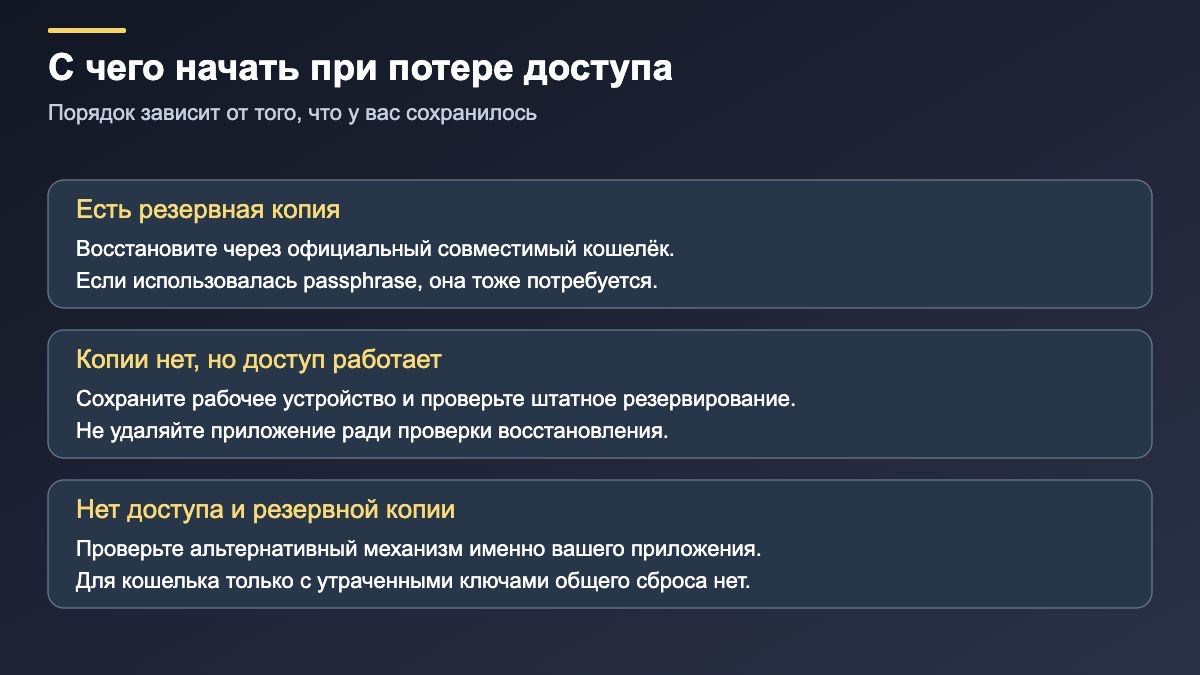
The phrase is missing, but the app still works. Preserve the working device. Check whether it officially supports viewing or backing up the recovery data; not every wallet or device does. If you cannot obtain a reliable backup, you may need a new wallet with verified recovery and to transfer your assets. First check the network, address and access to the new wallet with a small transfer, allowing for fees.
Both the device and phrase are gone. For a self-custody wallet whose access depended solely on the lost keys, the developer generally cannot issue them again. If a different recovery mechanism was set up at creation, check that specific option. For an exchange account, contact the platform's official support. There is no universal service that can restore any wallet from its address.
Someone else obtained the phrase. Treat the corresponding keys as compromised. A new PIN or app password will not invalidate another person's copy. Assets usually need to move to a new set of keys created in a trusted environment; the procedure depends on the networks, tokens and permissions already granted. Generating a new phrase on an infected device is unsafe. Do not send additional funds to the compromised wallet without understanding the situation: those funds could be taken too.
When choosing a new solution, compare cryptocurrency storage methods, available backups and recovery procedures. A convenient interface helps every day; a clear recovery process matters when your usual device no longer works.
Seed phrase FAQ
Can I change just one word and keep the same wallet?
No. The changed sequence may be invalid or lead to a different key set. Replacing a compromised phrase usually means creating a new wallet and transferring the assets, rather than editing the backup.
Will changing my phone number affect the phrase?
A conventional seed phrase is not tied to a phone number. However, the number may be involved in signing in to a linked account or exchange service. Keep the recovery options for that access method up to date separately.
Do I need to pay to enter a seed phrase?
Restoring keys is not itself a blockchain transfer and does not require a network fee. Fees may arise later when sending assets. A request to pay first to “activate the phrase” needs particular scrutiny.
Does a backup expire?
An ordinary mnemonic phrase has no expiry date. Apps and the way they display assets can change over time, so preserve both the record and information about compatible recovery. Service-based access methods also depend on the provider's rules.
How can I arrange access for heirs?
Plan both the legal process and the technical ability to recover the wallet. Publishing an active phrase in publicly accessible documents is dangerous. Discuss the method of transferring secrets and asset instructions with an appropriate professional while maintaining protection during the owner's lifetime.